


Zoho Vault for shared passwords in a small team: the short answer
To use Zoho Vault for shared passwords in a small team, store every business login once, put it in a shared collection by role, and share that collection to a user group rather than to named people. On the day someone leaves, you remove them from their groups and transfer their business passwords.
Zoho Vault is Zoho's password manager for personal and business use. It stores, shares and manages passwords from any device. Your data is encrypted with AES-256 on your own device before it travels to Zoho over SSL/TLS. Zoho calls this the host-proof hosting pattern.
The host-proof hosting pattern means encryption and decryption happen on the client side with your master password. That password, according to Zoho, is never stored anywhere or sent to Zoho's servers.
This guide covers the plan choice, the setup order, a worked example with real settings, and the two places small teams most often go wrong: sharing collections of passwords, and offboarding leavers.
If your company already runs on Zoho One, check your admin panel before you buy anything. It will show whether Vault is in your subscription and which edition you have.
Why shared logins in a spreadsheet are a risk, and what Zoho Vault changes
A spreadsheet of logins gives everyone who can open the file every password in it. It keeps no record of who looked at which row. Removing one person means changing every password they could see. Zoho Vault replaces that single open file with access you can control and trace.
Zoho Vault adds four controls a spreadsheet lacks:
- A record of access. Vault tracks who accessed which password and when, according to Zoho's password sharing page.
- Graded access. Each person can hold a different level of access to the same shared password.
- Hidden passwords. You can disable plain-text view, so a colleague can be given a login without seeing the password.
- Instant removal. You can revoke access in real time with one click.
Zoho states that Vault has been tested against cross-site scripting, SQL injection and other malicious activity. Its home page also describes the platform as zero-knowledge and SOC 2-certified. A zero-knowledge architecture is one where only encrypted data sits on the server, so Zoho's own staff cannot read your passwords.
Each vault can hold unlimited passwords, notes and documents. The Zoho Vault pricing page caps attachments at 2 MB per file. That limit matters if you planned to store large documents alongside logins.
Choosing a Zoho Vault plan for a small team
For a small team that wants to share logins by role, the Professional plan is usually the starting point. User groups arrive at that tier, and groups are what make role-based sharing manageable. Prices differ by plan and by billing period, and rolling monthly subscriptions cost a little more than paying annually. Check the current price for each plan on the pricing page before you commit.
| Plan | Who it suits | What it adds for shared logins |
|---|---|---|
| Free | Individuals | Personal use only, unlimited password storage, two-factor authentication, integration with Zoho Mail, Desk, Projects and Flow |
| Standard | Teams sharing a few logins | Integration with Google Workspace and Microsoft 365 |
| Professional | Teams sharing by role | User groups and password groups, emergency "break the glass" access, 10 free webhooks, minimum 5 users |
| Enterprise | Firms with a directory and stricter controls | Active Directory integration and user provisioning, single sign-on for cloud apps, request-release workflow, custom alerts for password events, Okta and OneLogin, minimum 5 users |
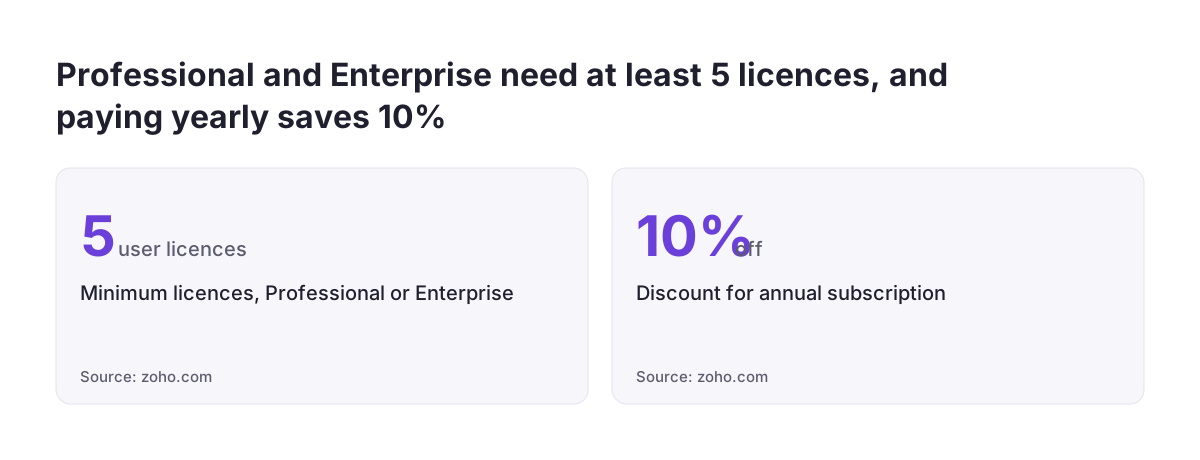
The table draws on Zoho's pricing page and on TechRadar's Zoho Vault review. Professional and Enterprise both require at least five user licences. A team of three still pays for five on those plans.
A 15-day free trial of Enterprise needs no card, but it allows at most five users. If you do not upgrade, the account moves to the free plan with your data intact. Annual billing saves 10%. Vault is pay-as-you-go, so you can upgrade, downgrade or cancel at any time.
Only the portal owner can upgrade the account. The portal owner is the organisation administrator, also called the super administrator.
Setting up Zoho Vault in the right order
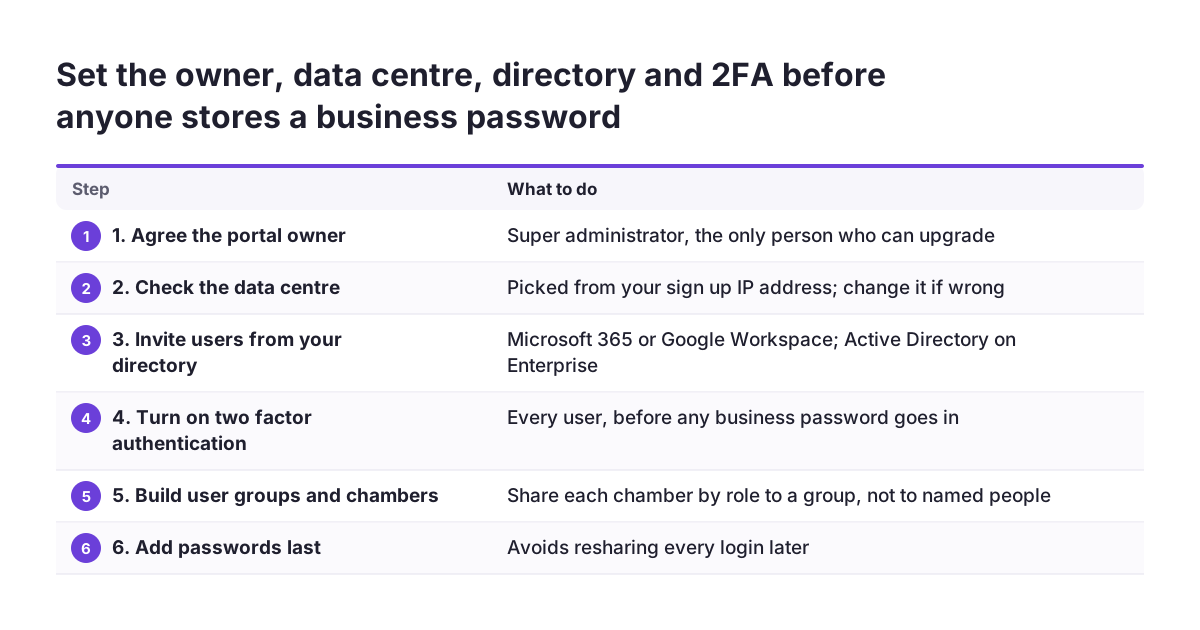
Set up Zoho Vault structure first and add passwords last. If you add passwords first, you will reshare them all later.
Work through the setup in this order:
- Agree the portal owner. Pick the person who will hold the super administrator role. That person is the only one who can upgrade.
- Check the data centre. At sign-up Zoho picks a data centre from the country of your IP address. You can change the location if it is wrong.
- Invite users from your directory. Vault can invite users through Microsoft 365 or Google Workspace. Active Directory, Okta and OneLogin are also supported, at Enterprise level.
- Turn on two-factor authentication for every user. Do this before anyone stores a business password.
- Create user groups by role. Examples are Finance, Marketing and Directors.
- Create chambers and add the logins. A chamber is a collection of secrets grouped together so you can share them with users and user groups in one step.
- Share each chamber to a group. Give each group the lowest of the four privilege levels that still lets the role do its job.
- Install the apps. Browser extensions exist for Chrome, Firefox, Edge, Safari, Vivaldi and Brave. There are also apps for iOS and Android.
If your team works from one office, Vault can limit access to team members on specific IP addresses. For a visual walk-through of adding and sharing entries, Zoho Vault has a short video, How to Setup Zoho Vault: Adding and Sharing Passwords, which runs 6 minutes 20 seconds.
Worked example: a ten-person studio sharing logins by role
Take a fictional ten-person design studio, Northfield Studio, on the Professional plan. Ten users clears the five-licence minimum. The studio replaces one spreadsheet with four chambers, each shared to a user group.
The studio first creates four user groups:
- Directors: the two owners.
- Finance: the bookkeeper and one owner.
- Marketing: the marketing lead and a junior.
- Everyone: all ten staff.
It then builds four chambers. "Banking and payroll" goes to Finance and Directors. "Domain and hosting" goes to Directors only. "Social media accounts" goes to Marketing. "Office and Wi-Fi" goes to Everyone.
The junior marketer can use the social media logins but should not take the passwords home. For the junior's access, the owner disables plain-text view, so the junior cannot see the passwords themselves. The bookkeeper gets a privilege level that allows use but not editing or resharing.
A freelance developer needs the hosting login for a two-week project. Rather than joining a group, the developer receives a time-restricted share of that single entry. The share expires with the project.
Six months later, a new junior joins Marketing. The owner adds the new junior to the Marketing group. Vault automatically gives group members added later access to chambers already shared with that group. Nobody touches individual passwords.
Sharing Zoho Vault passwords with freelancers and suppliers
Share passwords with anyone outside the company for a fixed period only. Zoho Vault lets you share passwords with third-party vendors, consultants, freelancers and temporary workers with time restrictions. A deadline protects you if you forget to tidy up after the work ends.
Zoho's page on sharing with individuals, groups and third parties lists the controls that matter for outside users:
- tracking of every account that outside users access, with real-time security audits
- a choice of permission levels for each user
- disabled plain-text view, so the recipient cannot read the password
- granting and revoking access for several users or groups with one click
For sensitive accounts, the Enterprise plan adds a request-release workflow. In a request-release workflow, a user must ask before seeing a secret. You, your admins, or a valid ticket ID from your helpdesk that meets pre-defined criteria then approves the request.
A ticket-based approval suits firms that already log IT requests. If you are setting up that helpdesk now, the guide to setting up Zoho Desk for a small support team covers the ticket side. The free plan's integrations already include Zoho Desk.
Common Zoho Vault sharing mistakes with chambers and user groups
Most Zoho Vault sharing problems come from sharing to people instead of groups. When a chamber goes to five named colleagues, you have five shares to find and remove later. When it goes to one group, you have one membership to change.
The other mistakes we see are close relatives:
- One chamber for everything. A single "Shared" chamber rebuilds the spreadsheet problem inside Vault.
- Groups that are too broad. Anyone added to a group inherits every chamber already shared with it. Check what a group can see before you add someone.
- Privileges set too high. Staff who only need to log in rarely need to edit or reshare.
- Business logins saved as personal. Personal passwords are visible only to the owner and the people they share with. Not even Vault admins can access them, so keep company logins as business entries from the first day.
At Svennis we create the user groups before a single password goes in, and we share every chamber to a group, never to a named person. A leaver's last day then means changing group membership, not hunting through individual shares.
Offboarding in Zoho Vault: removing access the day someone leaves
Remove a leaver's Zoho Vault access on their last working day, in a fixed order. TechRadar notes that Vault lets business passwords be transferred to a colleague or administrator when someone leaves or moves teams. Personal passwords can be exported.
| Step | Where in Vault | Why it matters |
|---|---|---|
| 1. Transfer business passwords | User management, to a colleague or admin | Logins the leaver owned stay with the company |
| 2. Remove from every user group | User groups | Access to all chambers shared with those groups ends at once |
| 3. Revoke direct shares | Sharing, one click per user | Catches anything shared to the person rather than a group |
| 4. Review the audit trail | Access records | Shows which passwords the leaver opened, and when |
| 5. Change exposed passwords | At each service, then update Vault | A password they saw in plain text may still be remembered |
| 6. Adjust licences | Subscription, by the portal owner | Vault is pay-as-you-go, so drop unused seats |
Step five is where disabled plain-text view pays off. If the leaver could never see a password, you may decide it does not need changing. Keep that decision written down so the next person knows what was reviewed.
On Enterprise, Active Directory provisioning can tie Vault users to your directory. Even then, run the transfer and audit steps by hand.
Emergency access and backups in Zoho Vault, so no one person holds the keys
A small team should never depend on one person to reach its passwords. Zoho Vault lets you nominate emergency contacts. These trusted people can temporarily access all business passwords during a crisis, especially when the password owners are unavailable. TechRadar describes a related Professional feature called "break the glass", which provides emergency access to passwords.
Nominate at least one emergency contact who is not the portal owner. Remember that only the portal owner can upgrade the account. If the owner leaves the business, hand that role over before the last day.
Backups need the same attention. According to Zoho's team password manager page, Vault regularly sends encrypted copies of your data to your email or to team cloud accounts. Supported destinations include Amazon S3, Box, Dropbox, Google Drive and OneDrive. Send the copies to a company account, not a personal one, so a backup does not leave with an employee.
Vault's apps for mobile devices, tablets and Apple Watch sync across devices. They also give offline access when needed. That helps in an outage, but it also means a lost phone holds data. Make sure every device sits behind two-factor authentication.
What Zoho Vault means for a UK company
For a UK company, the first practical point about Zoho Vault is where your data is hosted. Zoho has data centres across Europe, America and Asia, and you can host your data in the region of your choice. At sign-up Zoho picks a data centre based on your IP address. Confirm the region during setup rather than assuming it.
Support is the second point. TechRadar reports 24/7 email support and a customer service line in the UK, as well as in the US, Australia and India.
Payment is the third. Zoho accepts Visa, MasterCard, American Express and PayPal. For yearly subscriptions, it also accepts bank transfer or cheque. UK charities should note that Zoho offers discounted Vault pricing to non-profits through its sales team, whatever their size.
Finally, the audit trail has value beyond security. Clients increasingly send security questionnaires before they sign. A record of who accessed which credential, and when, lets you answer from evidence rather than memory. A leaver checklist you follow every time gives you a second answer to the same questions.
Next steps for setting up Zoho Vault in your team
Start Zoho Vault with a list, not a login screen. Before you open a trial, write down every shared login your team uses, who needs each one, and which role that person holds.
Then follow these steps in order:
- Group the logins into chambers by role, and name the user groups that will receive them.
- Start the 15-day Enterprise trial with up to five people from different roles.
- Build the groups and chambers, move the logins in, and switch on two-factor authentication.
- Write your leaver checklist using the offboarding table above, and name an emergency contact.
- Delete the old spreadsheet once every login is in Vault and has been tested.
If you want the plan options and the UK setup in one place, read our Zoho Vault business password manager page. If you would rather have the groups, chambers and offboarding routine built for you, our guide to what a Zoho partner does explains how that work is usually split.
Sources
- Zoho Vault: Password and passkey manager for teams and enterprises
- Zoho Vault: Team Password Manager
- Zoho Vault: Share passwords among team members
- Zoho Vault: Share Passwords With Individuals, Groups and Third Parties
- Zoho Vault: Pricing and Plans
- TechRadar: Zoho Vault review
- YouTube: How to Setup Zoho Vault: Adding and Sharing Passwords